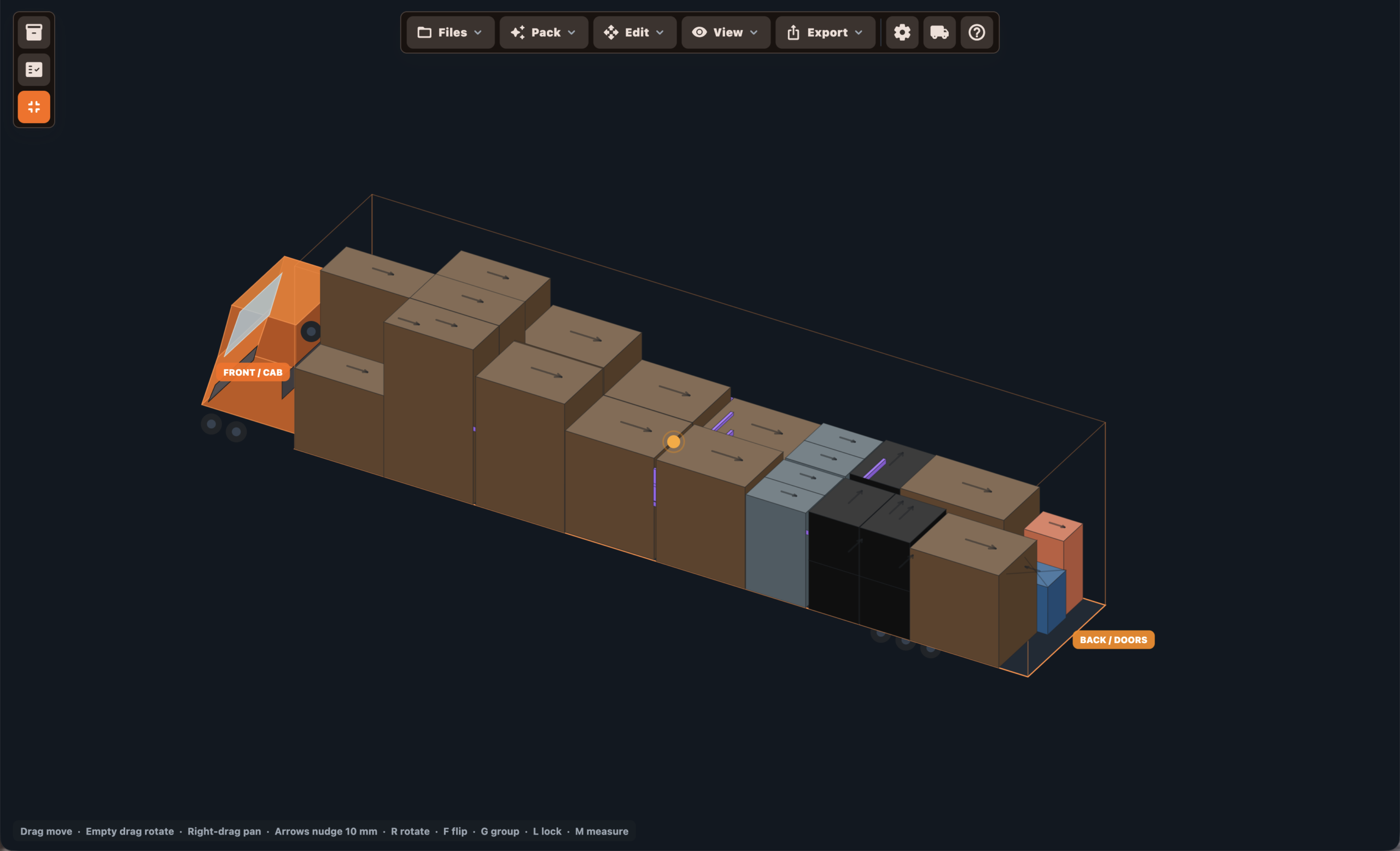
3D Load View
Rotate, pan, zoom, inspect labels, select items and check the full truck pack visually.

From manifest to truck pack in minutes. Build your inventory, AutoPack cases into vehicles, check weight balance, inspect the load in 3D, and export professional load plans for crews, drivers, warehouses and production teams.
Install TruckIT on Windows or macOS and start building practical truck packs for real touring, freight, warehouse and event production workflows.
Build the equipment list, pack the truck, check the balance, review the load visually, then export a plan the crew can actually use.
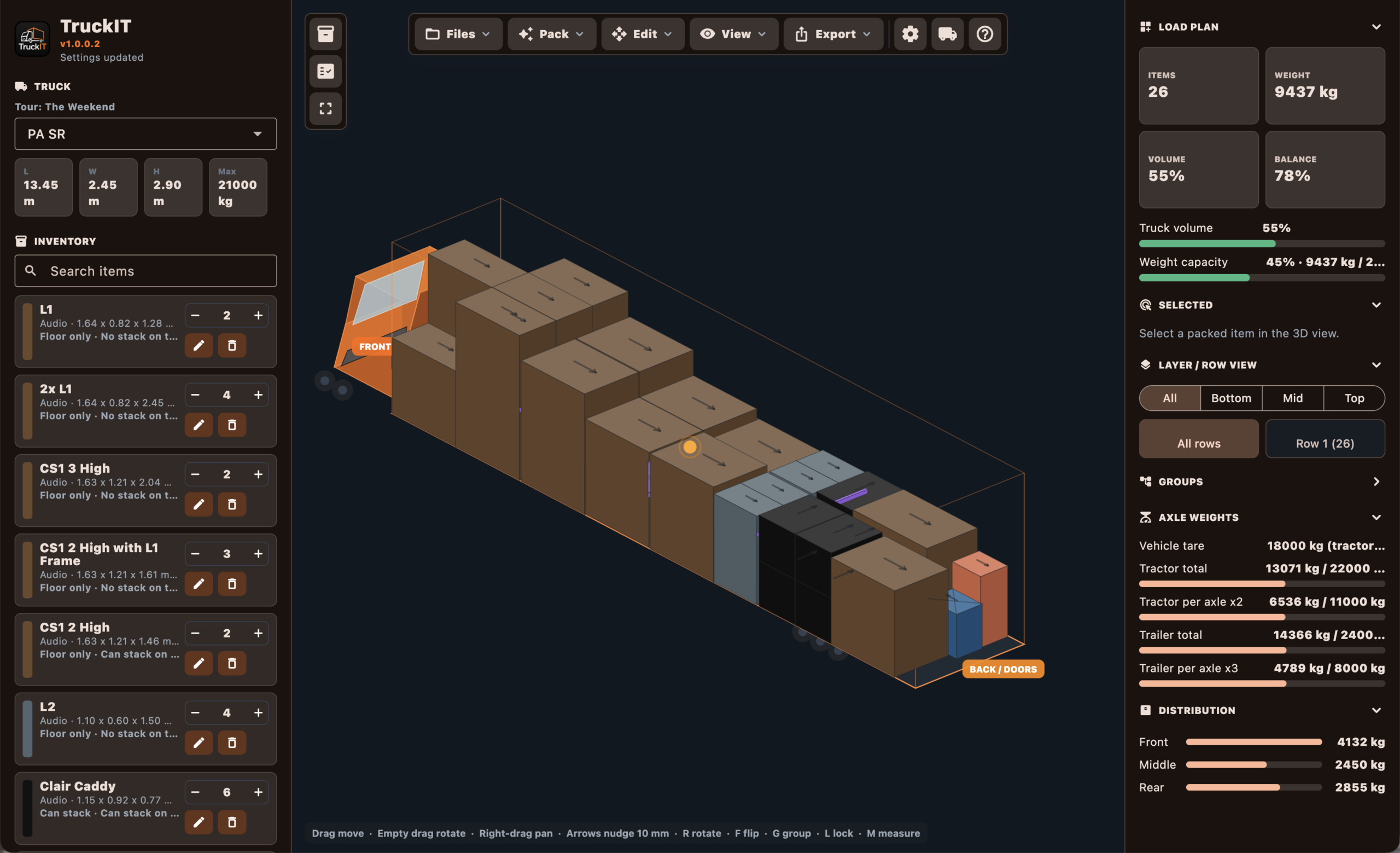
TruckIT gives you the core views needed to build a proper production truck pack, from asset library to final load plan.
TruckIT is made for practical loading decisions: real equipment, real trucks, real weights, real access, and real crews.
Rotate, pan, zoom, inspect labels, select items and check the full truck pack visually.
Automatically pack equipment into vehicles using item dimensions, quantities and packing rules.
Use weight-balanced packing and feedback to help build safer, more practical loads.
Store axle counts and axle limits, then estimate how the load affects the vehicle.
Save carrier, registration, driver info, dimensions, payload, axle counts and limits.
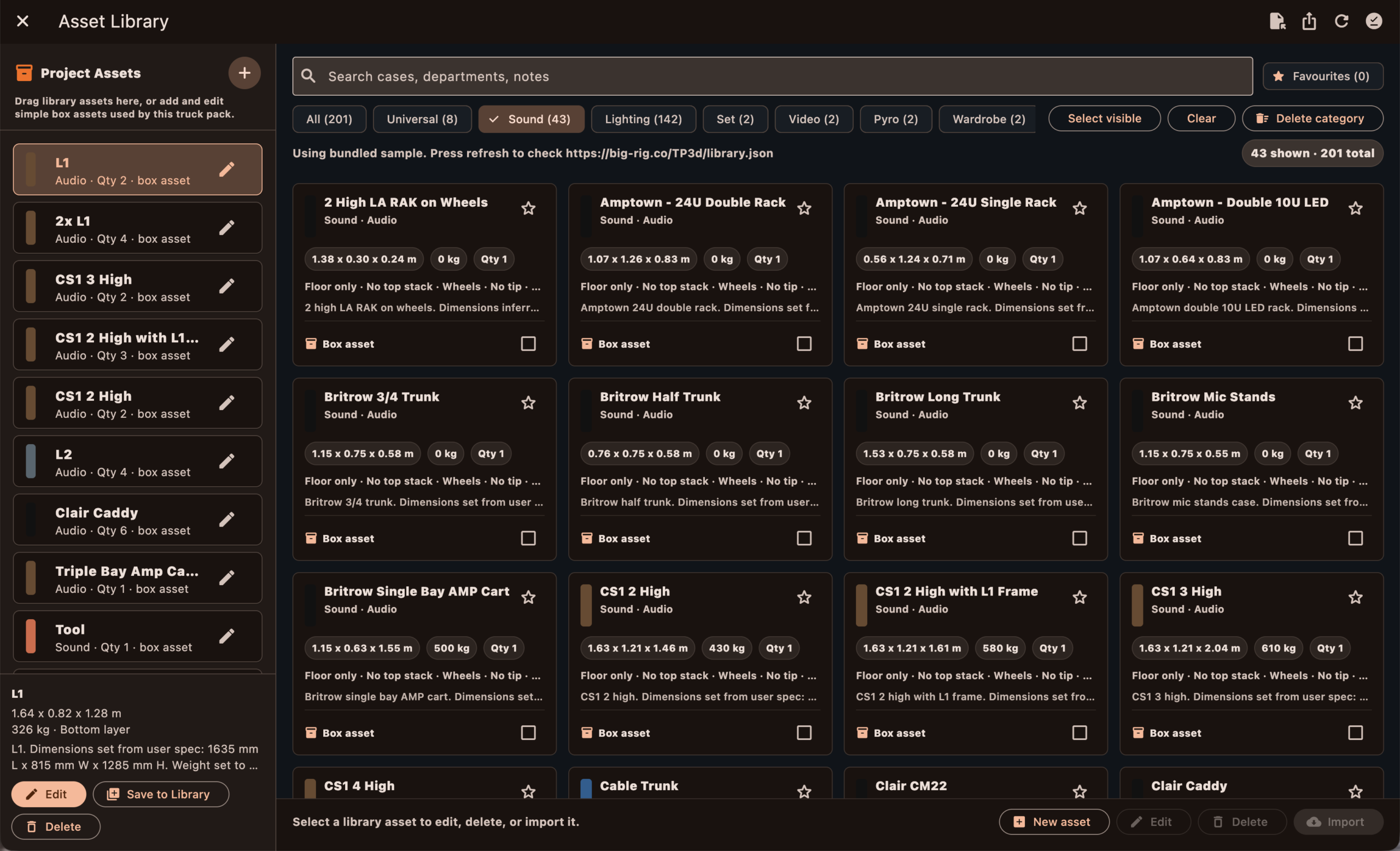
Use searchable, favourited, department-based assets with offline cache and selectable import.
View bottom, middle, top and row-by-row loading so crews know what goes where.
Create professional PDFs, DXF plans, CSV load plans and project handoff files.
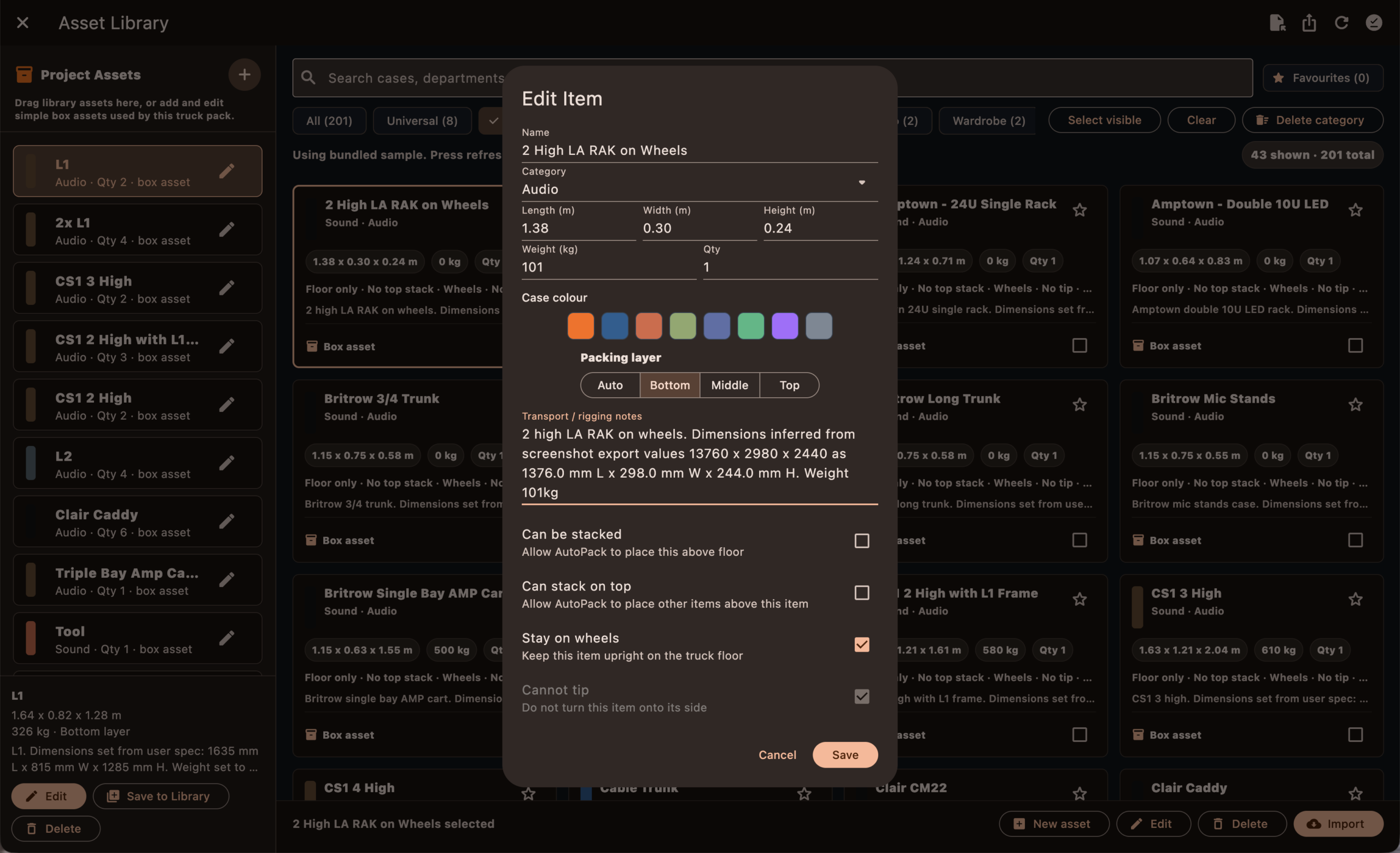
Drag, nudge, rotate, flip, copy, paste and lock items when the load needs human control.
Bring existing equipment manifests into TruckIT instead of rebuilding lists from scratch.
Plan load bars, straps and restraint notes alongside the actual truck pack.
Switch between feet/inches plus pounds, or meters plus kilograms for different teams.
The Asset Library is for the kit you already know: racks, cases, carts, distros, truss, set pieces, wardrobe trunks, cable boxes and department-specific equipment.
A truck pack is only useful if the details are right. TruckIT lets you define how each item travels, not just what size it is.
Start from common vehicles or build your own. TruckIT can handle dry vans, box trucks, Sprinters, carrier trucks and custom trailers.
Plan long trailer packs with practical row, layer and restraint information.
Build small and medium event loads with correct dimensions and payload limits.
Prep compact loads for quick jobs, support vehicles and smaller crews.
Save your own dimensions, registration, driver info, axle data and payload limits.
Bigger shows rarely fit into one simple load. TruckIT helps you split the job across multiple trucks so each vehicle has its own visual pack and loading information.
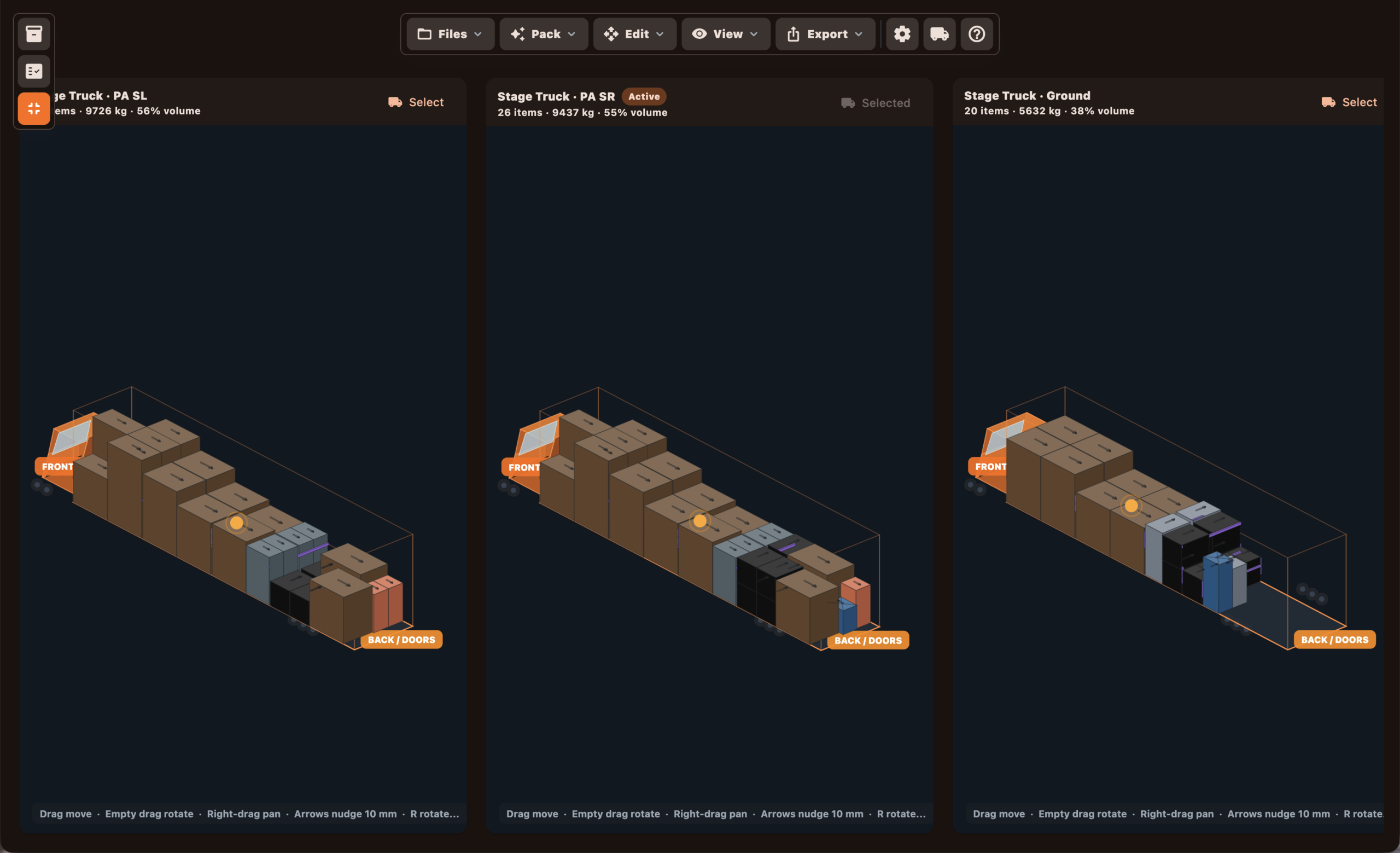
Use TruckIT to organise equipment into a clear loading order. Build a pack that makes sense for the warehouse, the truck doors and the crew loading it.
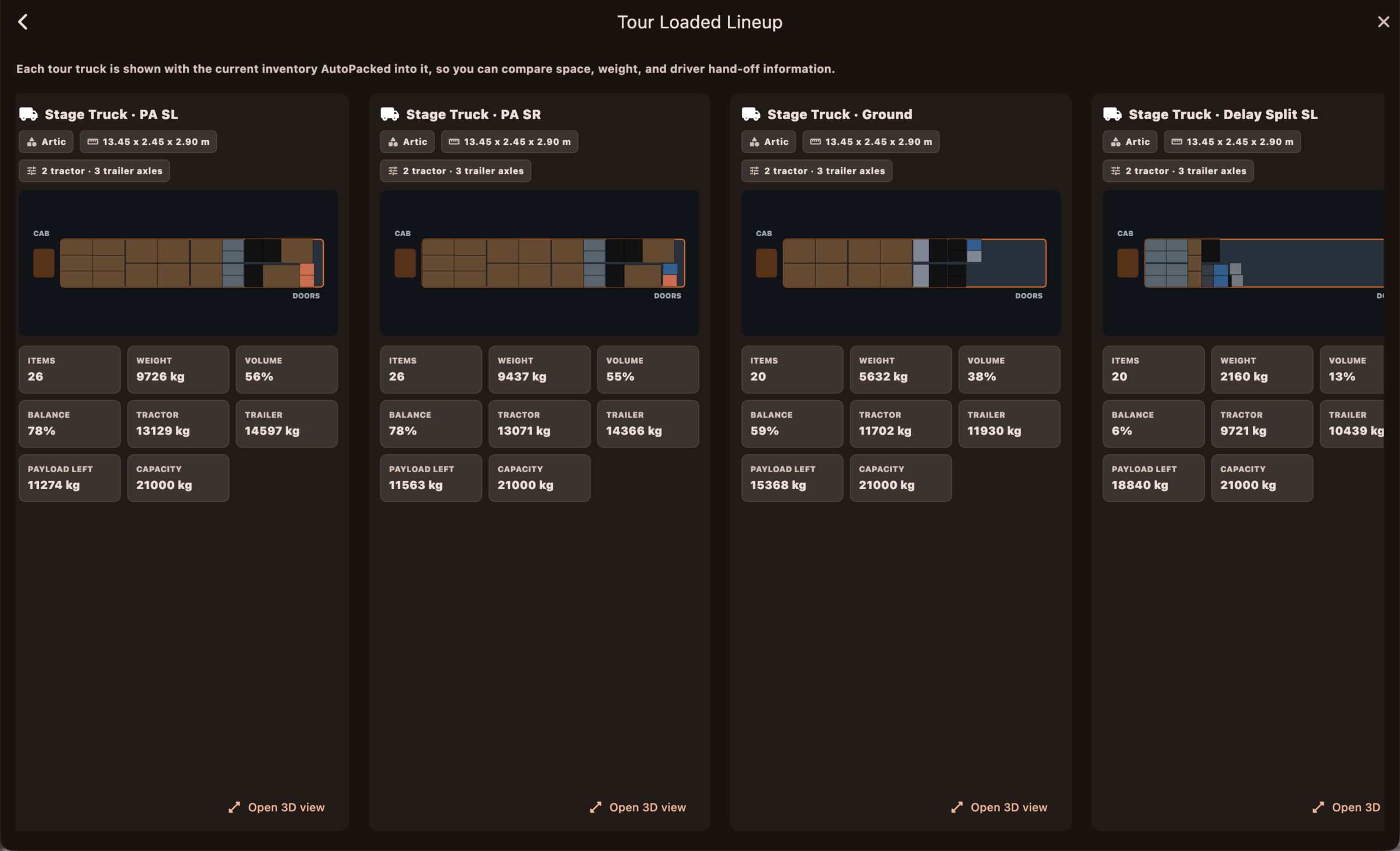
Review the truck in 3D, check labels, select items, spot gaps, catch awkward loading problems and make changes before the first case moves.
TruckIT is for teams that need a load plan that survives contact with the warehouse, the dock, the crew and the driver.
Build repeatable tour packs for audio, lighting, video, set, wardrobe, backline and production gear.
Plan how mixed equipment fits into vans, box trucks, trailers and carrier vehicles.
Give prep teams a clear loading order before the truck reaches the dock.
Export clean information for drivers, trucking coordinators and crew chiefs.
Split larger projects across multiple vehicles while keeping every truck organised.
TruckIT turns the truck pack into files you can share with production, warehouse teams, crew leads, drivers and CAD workflows.
Export the key load information into clean PDF reports. Ideal for advancing, sharing with crew, keeping a record of the plan, or sending practical loading information before the truck arrives.
TruckIT Viewer lets crew view the truck pack and loading information on mobile. Perfect for warehouse teams, loaders, production managers and anyone who needs the plan without opening the desktop app.
Start with the 14-day trial/demo mode, buy a full V1 licence, rent a licence, or use TruckIT Viewer for mobile access.
Explore manual packing, project save/open and the core TruckIT workflow before buying.
Import, export, asset sharing, email drafts and mobile handoff require a full licence.
Use TruckIT monthly when you need it for jobs, tours or production prep.
View truck packs and loading information on mobile with the TruckIT Viewer app.
Build cleaner inventories, AutoPack vehicles, check weight and axles, plan restraints, export professional load plans, and give your team a better handoff before the first case moves.